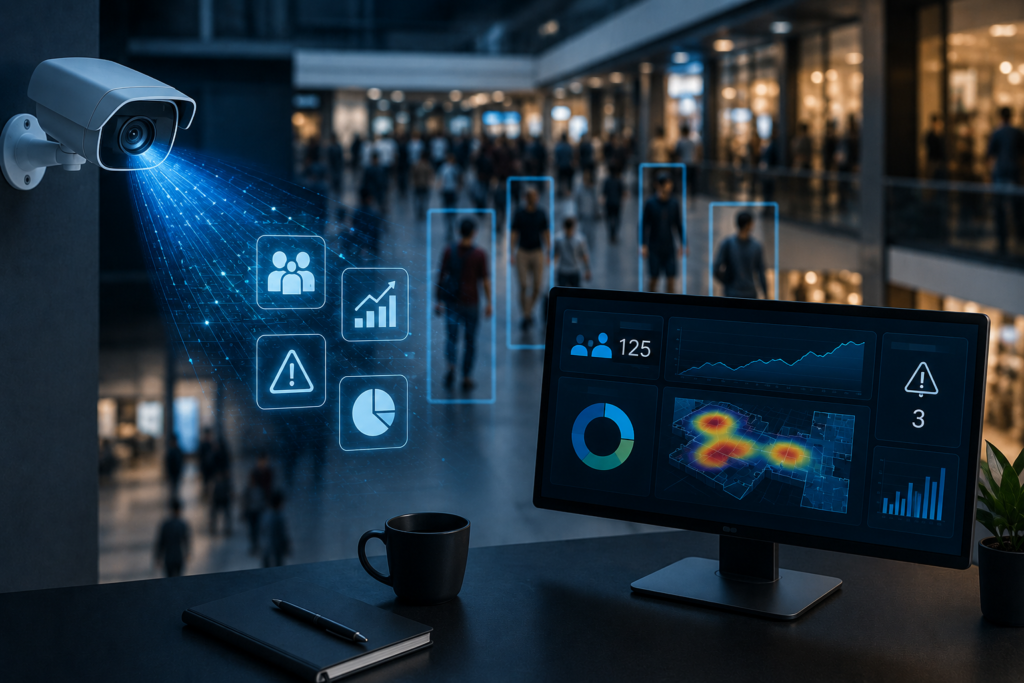
AI video analytics is software that turns ordinary camera feeds into structured, real-time data, counting people, detecting events, and surfacing patterns that a human watching a wall of monitors would never catch.
For operations leaders in 2026, it has quietly become one of the highest-leverage ways to understand what is actually happening across stores, buildings, worksites, and public spaces.
Instead of treating cameras as a passive record you only review after something goes wrong, AI video analytics makes them an always-on sensor network that feeds your dashboards, alerts, and decisions.
This guide explains what the technology is, how it works, where it delivers measurable value, and what to look for when you evaluate a platform.
It is written for the people who own the outcomes — retail ops, facilities, security, and brand teams — not for data scientists.
What AI video analytics actually does
At its core, AI video analytics applies computer-vision models to a video stream and converts what the camera sees into numbers and events.
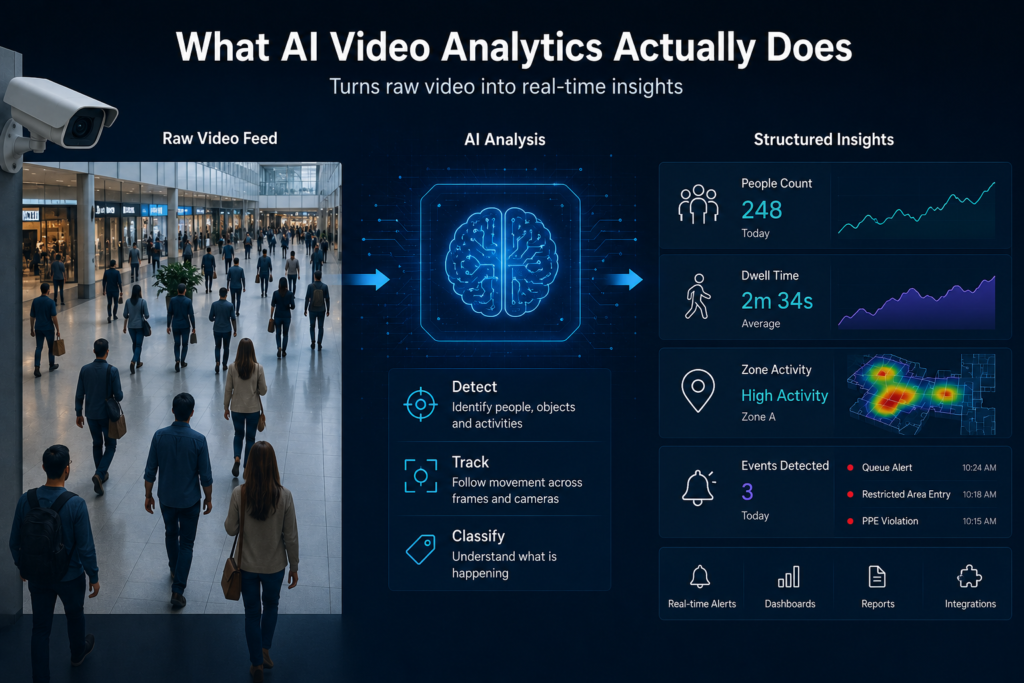
A traditional camera produces footage. An analytics layer produces answers: how many people entered between 4 and 6 p.m., which aisle held attention the longest, whether a worker stepped into a restricted zone, or whether a queue has grown past four people.
The footage is still there, but the value shifts from “evidence after the fact” to “insight in the moment.”
Three capabilities sit underneath almost every use case: detection (finding objects and people in a frame), tracking (following them across frames and cameras), and classification (labelling what is happening — a person, a vehicle, a fall, smoke, a PPE violation).
Layered on top are counting, dwell-time measurement, zone and line-crossing logic, and anomaly detection.
Modern systems run many of these models simultaneously on the same feed.
How it works, step by step
The pipeline is consistent across vendors even when the underlying models differ.
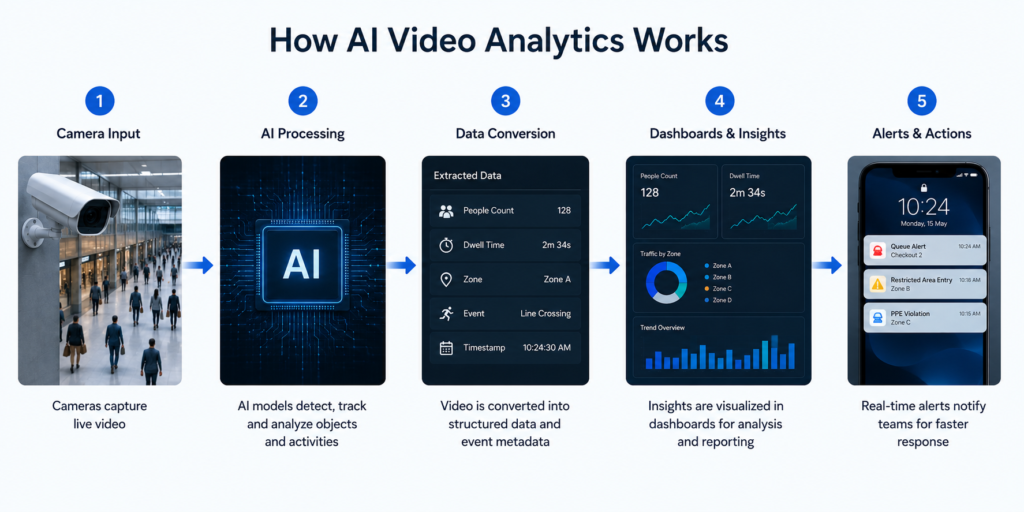
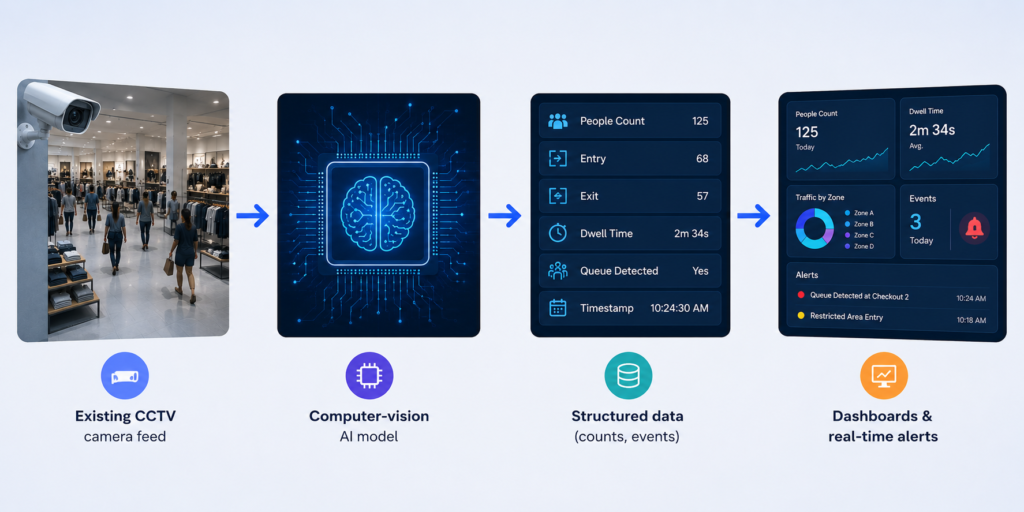
A camera streams video into a processing engine — either a small edge device near the camera or a server on-premises. Computer-vision models analyse each frame, identifying and tracking objects.
That output becomes structured data: counts, timestamps, zones, and event flags. Finally, the data flows into dashboards for trend analysis and into an alerting layer for anything that needs immediate attention.
The detail that matters most to operations leaders is where the processing happens.
Edge and on-premises processing means the video is analysed locally and often only the resulting metadata leaves the camera — not the raw footage.
That is faster, cheaper on bandwidth, and far easier to defend from a privacy standpoint. We go deeper on this in our guide to edge vs. cloud vs. hybrid video AI.
Where AI video analytics delivers value
The technology is sector-agnostic, but the wins are concrete. A few patterns we see across live deployments:
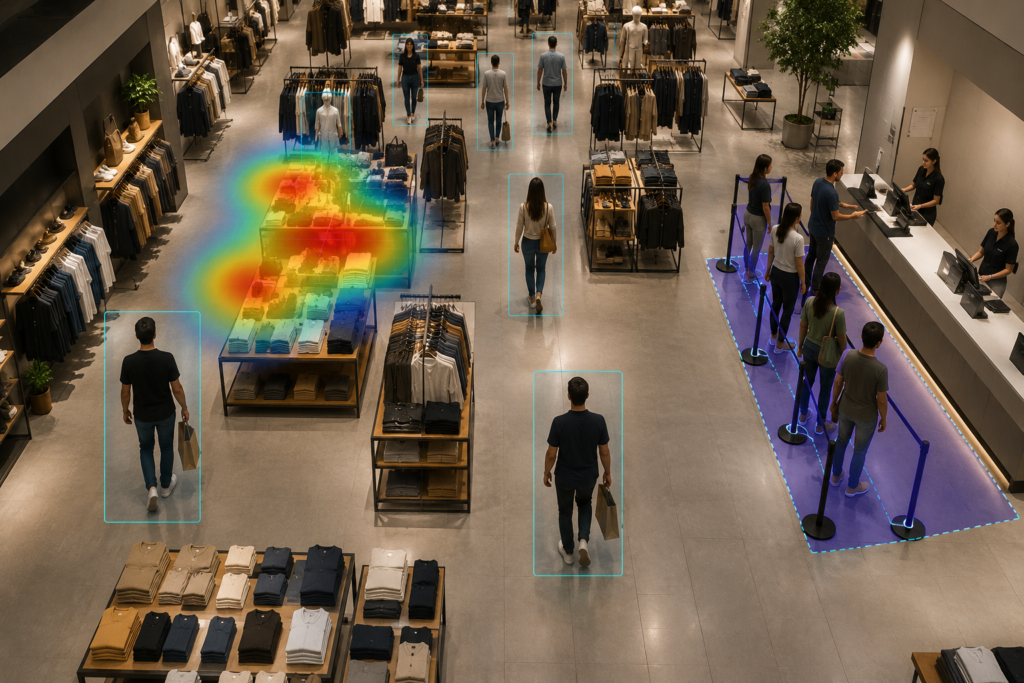
Retail. Footfall counting, store heatmaps, dwell-time-to-conversion analysis, and queue detection turn a store’s cameras into a continuous merchandising and staffing instrument. A national electronics retailer, for example, can measure engagement at demo zones to convert browsers into buyers and align staff to traffic peaks. See how this maps to outcomes on our retail analytics solution page.
High-value retail and security – A jewellery chain can use suspicious-behaviour detection and standardized alert-response SOPs around display cases — moving beyond the panic button to proactive prevention. The same building blocks power video surveillance and safety use cases like PPE detection, fire and smoke detection, and perimeter monitoring.
Brand activations – A leading FMCG brand running product sampling across mobile and pop-up counters can measure engagement and get a privacy-safe, anonymized demographic breakdown of who interacted — without storing identities. That converts a previously unmeasured spend into a campaign you can optimize.
Buildings and cities – Occupancy analytics inform HVAC and space-utilization decisions, while traffic-flow and crowd-density monitoring support public safety. The common thread is the same: existing cameras, turned into operational data.
Why “works with existing CCTV” changes the math
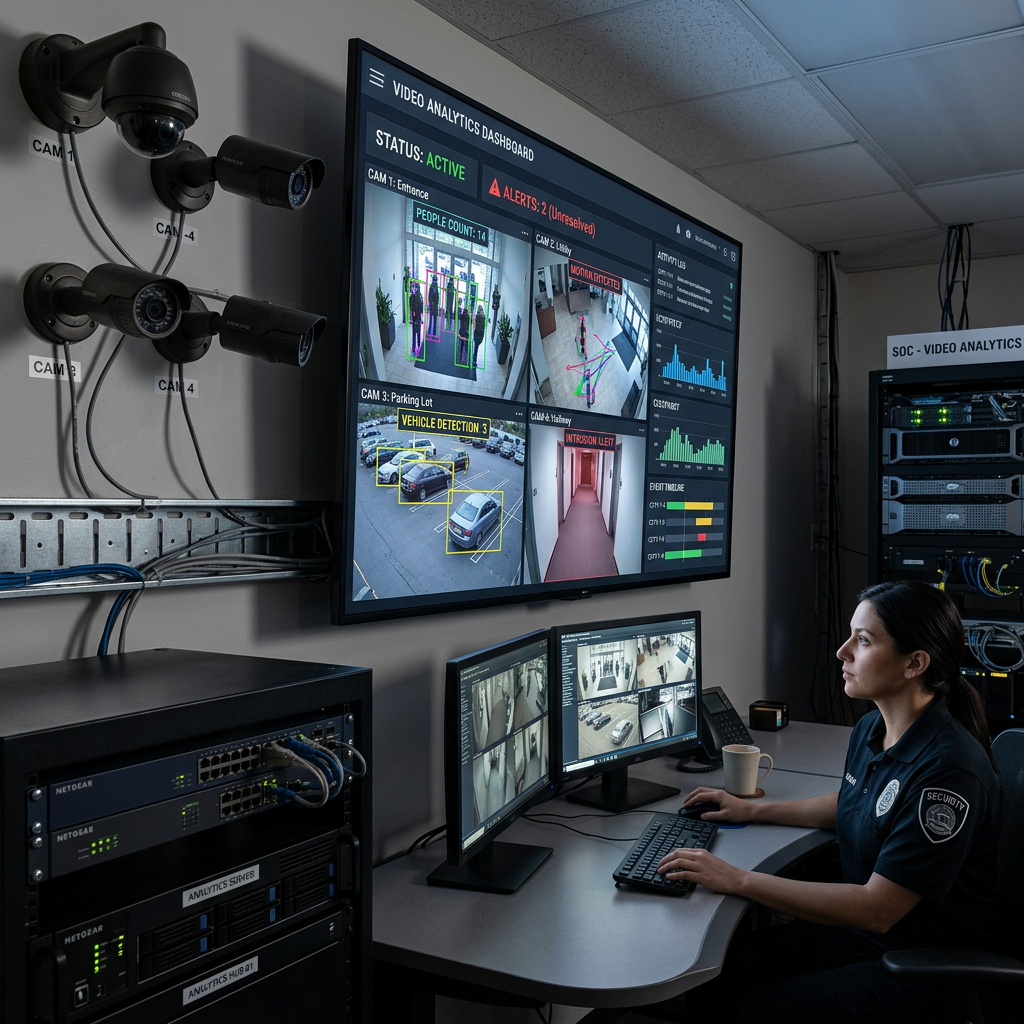
The single biggest misconception is that AI video analytics requires new, specialized cameras.
The strongest modern platforms are camera-agnostic and retrofit onto the CCTV you already own — no rip-and-replace.
That collapses both the cost and the timeline of getting started, because the capital expense is already on the floor.
Deployment becomes a software exercise measured in days, not a hardware project measured in quarters.
If you are evaluating this path, our practical guide to retrofitting AI onto existing CCTV cameras walks through the steps.
Privacy is a design choice, not an afterthought
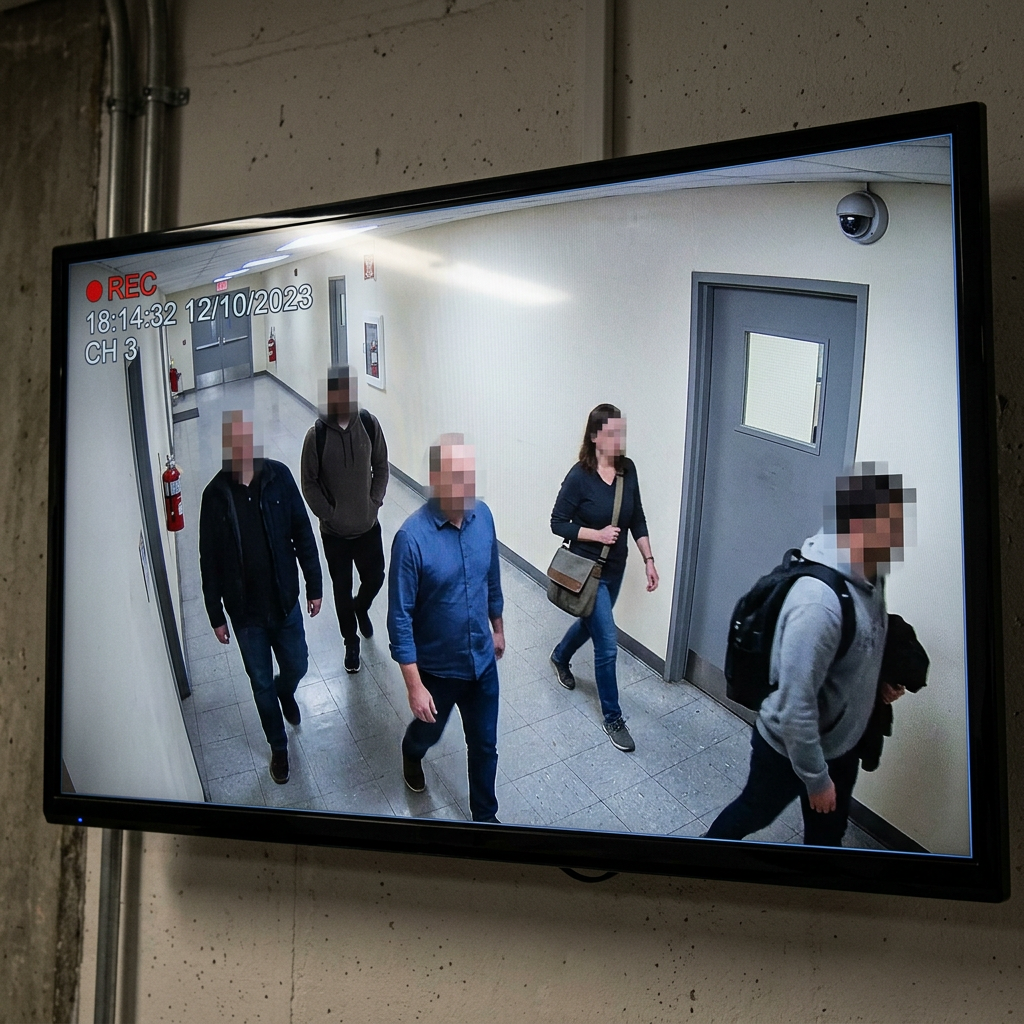
Because the technology observes people, privacy has to be engineered in.
The privacy-first approach is to process video on-premises or at the edge, extract only the metadata you need (a count, a dwell time, an anonymized age/gender bucket), and never export raw footage or biometric identities to the cloud.
Done this way, you get the operational insight while keeping data inside your own walls — which also simplifies compliance with regimes like India’s DPDP Act and Canada’s PIPEDA.
The architecture choice and the compliance outcome are the same decision.
What to look for in a 2026 platform
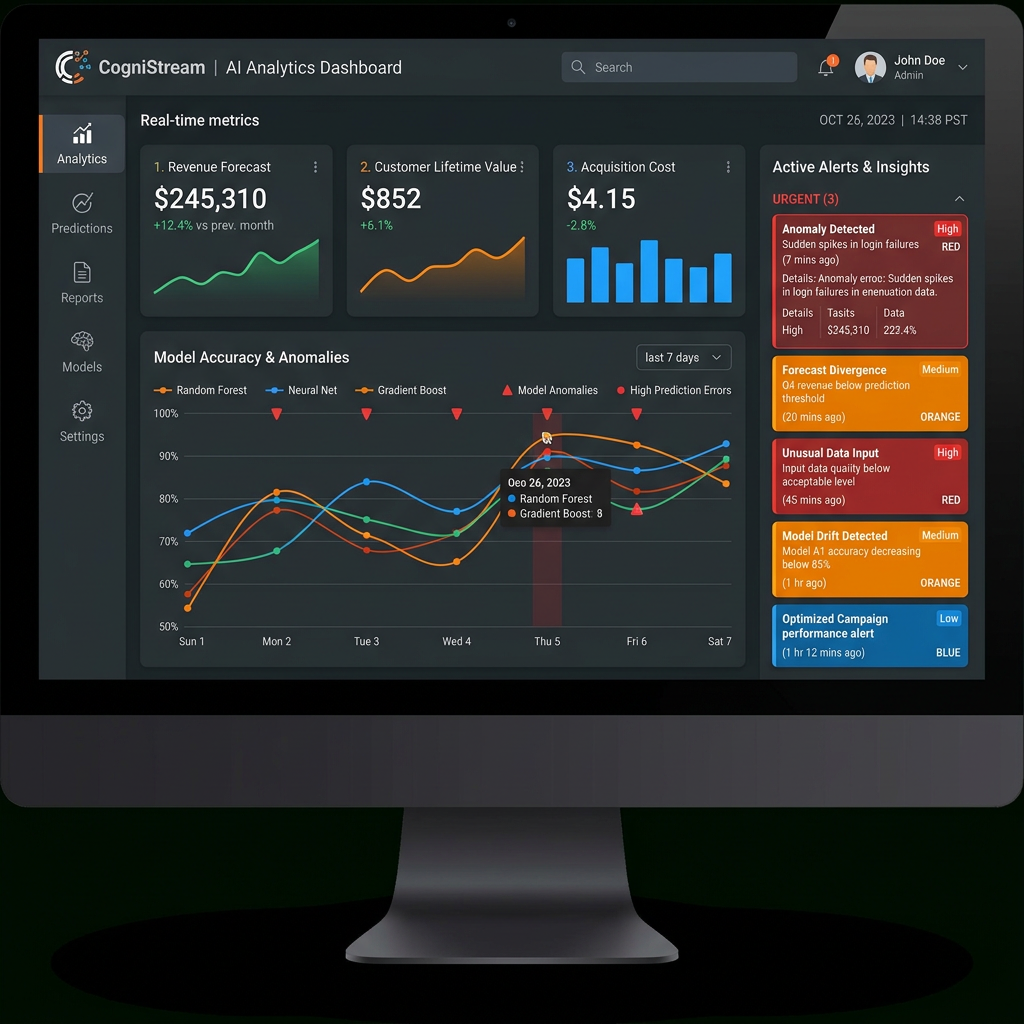
When you evaluate AI video analytics, weigh five things: whether it works with your existing cameras; whether it offers on-prem and edge processing for privacy and speed; how fast it deploys; whether it is camera-agnostic across your mixed hardware estate; and whether the analytics map to decisions you actually make rather than vanity metrics.
A footfall number is only useful if it changes a staffing roster; a heatmap only matters if it moves a display. The best platforms close that loop.
Getting started
You do not need a moonshot to begin. Pick one location and one question — “are we losing sales to checkout queues?” or “which demo zone earns the most attention?” — point your existing cameras at it, and let the data settle for a few weeks.
The clarity of a single well-measured question is usually enough to build the case for rolling out across the estate.
If you would like to see what your own cameras could tell you, book a 30-minute KenVision demo and we will walk through your specific use case.
Frequently asked questions
Is AI video analytics the same as facial recognition?
No. Most operational analytics — counting, dwell time, queue detection, occupancy — require no identification of individuals at all. A privacy-first platform measures behaviour and patterns anonymously and never builds a biometric identity profile.
Do I need to replace my existing CCTV cameras?
Generally not. Camera-agnostic platforms retrofit onto the cameras you already have, which is why deployment can take days rather than a hardware-replacement project of several months.
Does the video have to go to the cloud?
No. With edge or on-premises processing, video is analysed locally and typically only anonymized metadata leaves the site. This is faster, uses less bandwidth, and keeps sensitive footage inside your own infrastructure.
What kinds of results can operations teams expect?
Outcomes are use-case specific, but the common thread is converting previously invisible activity — footfall patterns, dwell time, queue build-up, safety violations — into data that informs staffing, merchandising, energy, and security decisions in near real time.
How quickly can we deploy AI video analytics?
Because it works with existing cameras and runs as a software layer, a focused single-site pilot can typically be stood up in days, with insights accumulating over the following weeks.