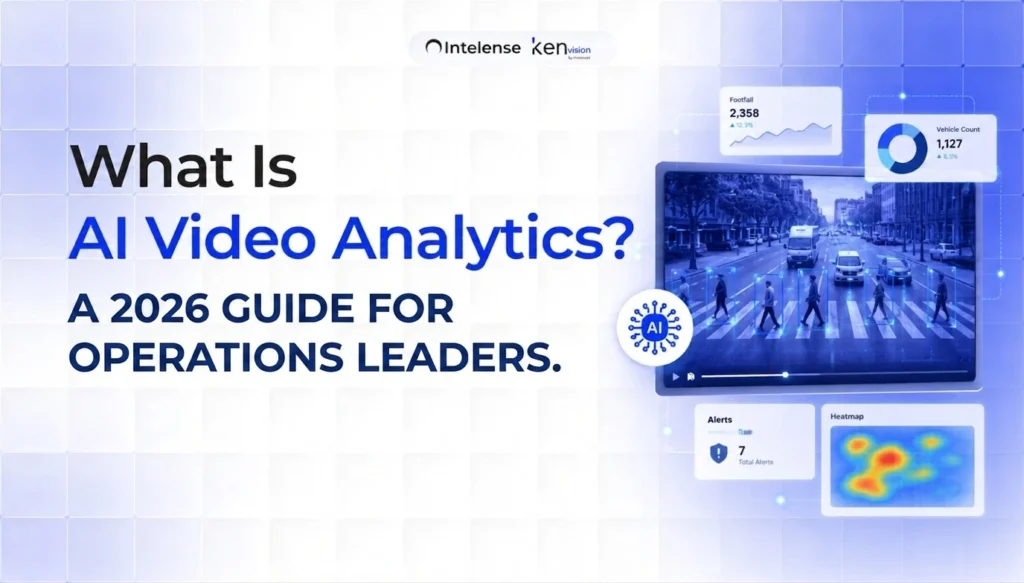
AI video analytics is software that watches live or recorded camera feeds and turns what it sees into structured, usable data counts, alerts, patterns, and reports without a person having to stare at a screen. Instead of treating cameras as passive recorders you only review after something goes wrong, AI video analytics software makes them active sensors that understand activity as it happens. For operations leaders in 2026, that shift is the difference between footage you scrub through after the fact and real-time video analytics you act on in seconds.
This guide explains what AI video analytics actually does, how it works, where it delivers measurable value, and what to look for when you evaluate a platform.
From Recording to Understanding
A traditional CCTV system answers one question: “What happened?” and only if someone goes looking. AI-powered CCTV analytics answers a more useful set: “What is happening right now, how often does it happen, and where?” The technology applies computer vision and machine learning to each frame, identifying people, vehicles, objects, and behaviours, then converting those observations into numbers and events your team can use.
The practical payoff is that you stop paying for cameras that only help you in hindsight. The same hardware that recorded an incident can now count your customers, flag a blocked fire exit, measure how long a checkout queue has been growing, or tell you a restricted zone was entered the moment it matters.
How AI Video Analytics Works
Most modern video analytics software follows the same three-stage pipeline, whether it runs on a camera at the edge, on a local server, or in the cloud.
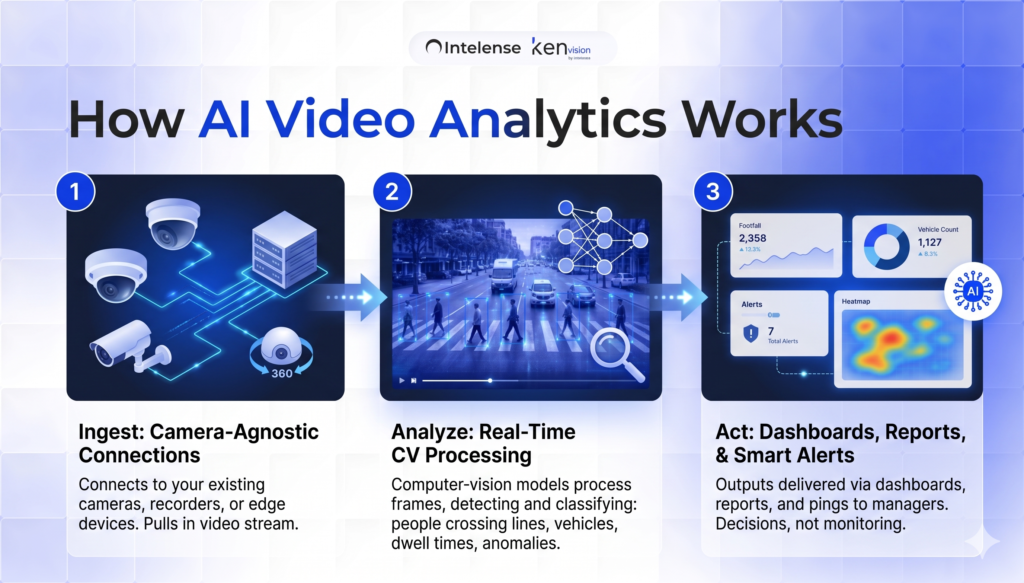
1. Ingest
The system connects to your existing cameras, CCTV recorders, or edge devices and pulls in the video stream. Good platforms are camera-agnostic — they work with the hardware you already own rather than forcing a rip-and-replace.
2. Analyze
Computer-vision models process the frames in real time, detecting and classifying what they see: a person crossing a line, a vehicle entering a lot, a dwell time exceeding a threshold, smoke developing in a corner. This is where raw pixels become events and measurements.
3. Act
The output is delivered as dashboards, reports, and smart alerts. A queue that crosses a threshold pings a floor manager; a weekly heatmap shows which aisles underperform; an anomaly triggers a notification. Your team spends its time on decisions, not monitoring.
Where AI Video Analytics Delivers Value
AI video analytics is not one product — it’s a capability that shows up differently across industries. A few of the most common, high-return applications:
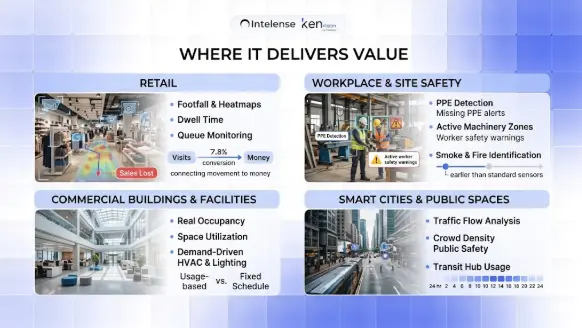
Retail. Count footfall, build heatmaps of where shoppers go, measure dwell time at displays, and catch growing checkout queues before customers abandon their carts. The most valuable retail use cases connect movement to money — for example, separating visitors who browse and leave from those who convert, so you can see exactly where sales are being lost on the floor.
Commercial buildings and facilities. Measure real occupancy and space utilization, then drive HVAC and lighting from actual usage instead of fixed schedules.
Smart cities and public spaces. Analyze traffic flow, monitor crowd density for public safety, and understand how transit hubs and plazas are used hour by hour.
KenVision applies this same engine across retail, commercial buildings, smart cities, and video surveillance — one platform, contextualized per environment. You can see how each plays out on the retail analytics and video surveillance pages.
Edge, cloud, or hybrid?
One of the first architectural decisions is where the analysis runs. Edge processing happens on or near the camera, giving the lowest latency and keeping video on-site — important for privacy and bandwidth. Cloud processing scales effortlessly across many locations. Hybrid setups combine both. The right choice depends on how many sites you run, how sensitive your footage is, and how fast you need alerts. A privacy-first, on-premise option matters more than ever for regulated industries and regions with strict data-sovereignty rules.
What to look for in a platform
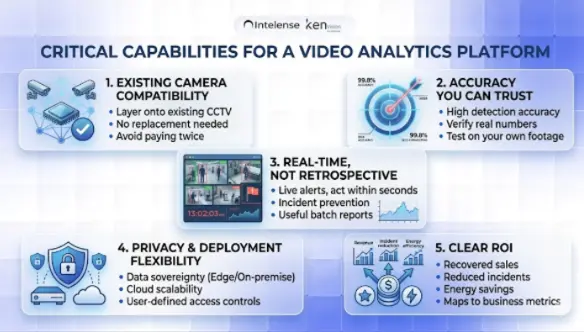
Works with your existing cameras. If a vendor requires you to replace your CCTV, you’re paying twice. The best platforms layer onto the infrastructure you already have.
Accuracy you can trust. Detection accuracy determines whether alerts are useful or just noise. Ask for real numbers and test on your own footage.
Real-time, not just retrospective. The value is in acting within seconds. Batch reports are useful, but live alerts are where incidents get prevented.
Privacy and deployment flexibility. On-premise or edge options for data sovereignty, with cloud available when you want scale.
Clear ROI. Whether it’s recovered sales, reduced incidents, or energy savings, the platform should map to a number your leadership cares about.
The bottom line
AI video analytics turns cameras from a sunk cost into an intelligence layer that runs across security, operations, and customer experience at the same time. The organizations getting the most from it in 2026 aren’t buying more cameras — they’re getting far more out of the ones they already have.
Want to see what your own footage could tell you? Book a 30-minute KenVision demo and we’ll walk through your use case.
Frequently asked questions
Is AI video analytics different from regular CCTV?
Yes. CCTV records footage for later review; AI video analytics interprets the footage in real time and produces alerts, counts, and reports automatically.
Do I need new cameras?
Usually not. Most modern platforms, including KenVision, are camera-agnostic and work with your existing CCTV and edge devices.
Does it work in real time?
Yes the core advantage is acting on events as they happen, typically within seconds.
Is my video data kept private?
With on-premise and edge deployment options, video can be processed locally for data sovereignty.
What industries use it most?
Retail, workplace and construction safety, commercial real estate and facilities, manufacturing, and smart cities.